Unix Administrator Resume Examples & Guide
Landing a Unix Administrator job can be tough. Applicant Tracking Systems (ATS) filter out many qualified candidates, and you’re facing fierce competition. This guide provides Unix Administrator resume examples for every experience level, offering tailored advice to help you stand out.
- Quantify Achievements: Use numbers to showcase the impact of your work.
- Highlight Relevant Skills: Emphasize skills like shell scripting, system administration, and network configuration.
- Tailor to Job Description: Customize your resume to match the specific requirements of each job.
- Optimize for ATS: Use keywords from the job description to ensure your resume is easily scanned.
- Use Action Verbs: Start each bullet point with a strong action verb to highlight your accomplishments.
Let’s explore some resume examples to see these tips in action.
Explore editable Unix Administrator resume examples by career stage. Each sample opens in the RockStarCV builder so you can study the structure and make your own version.
Entry-Level Unix Administrator Resume (0-2 Years Experience)
Use these entry-level examples to compare the scope, evidence, and language expected for Unix Administrator roles at this stage.

Unix Administrator
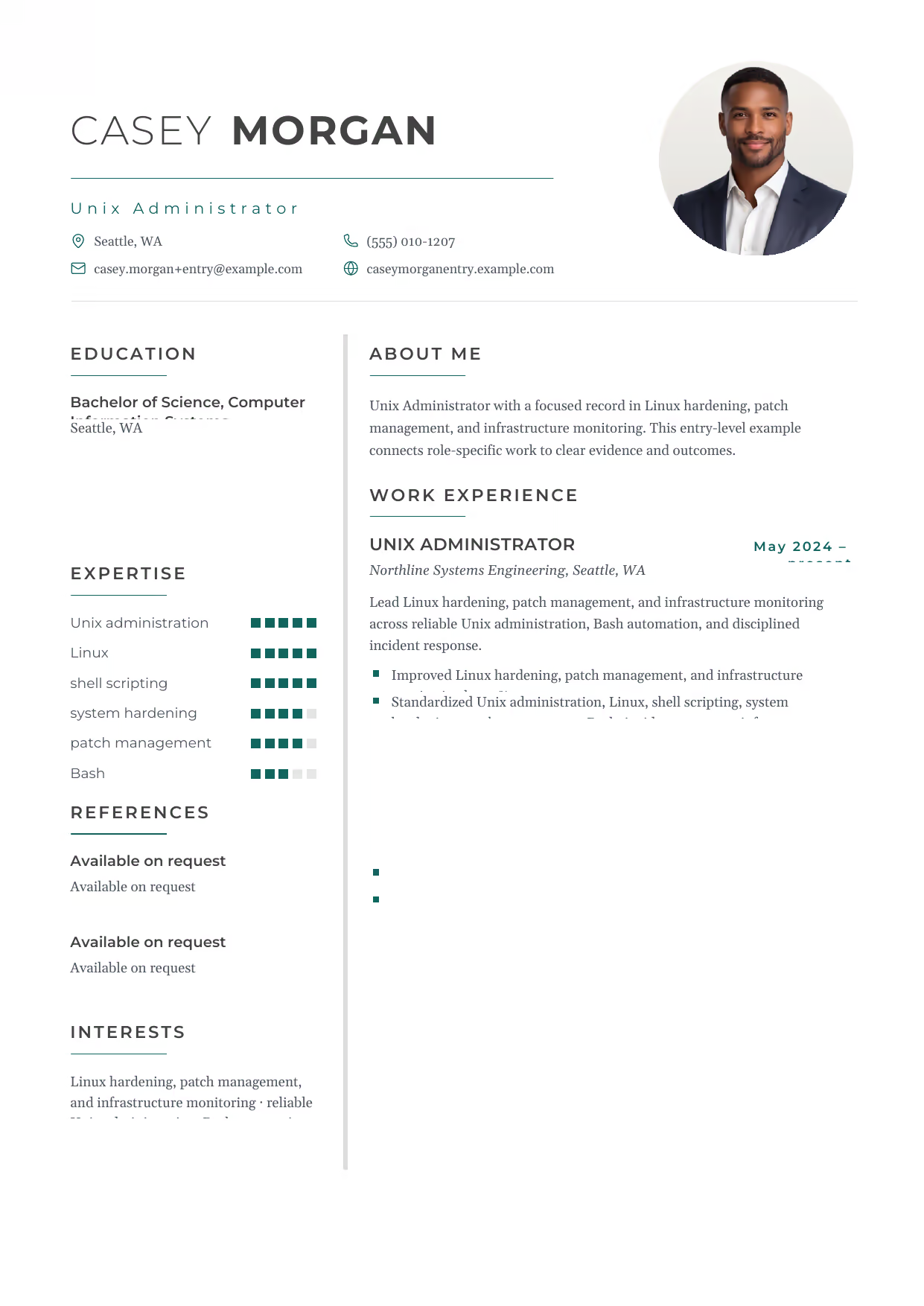
A builder-ready entry-level Unix Administrator example in the Hydra template, showing stage-appropriate evidence in a focused, editable resume format.
- Editable role positioning in the Hydra layout
- Role-specific evidence and delivery context
- Review the Hydra structure with a clean visual hierarchy
View this resume
Unix Administrator
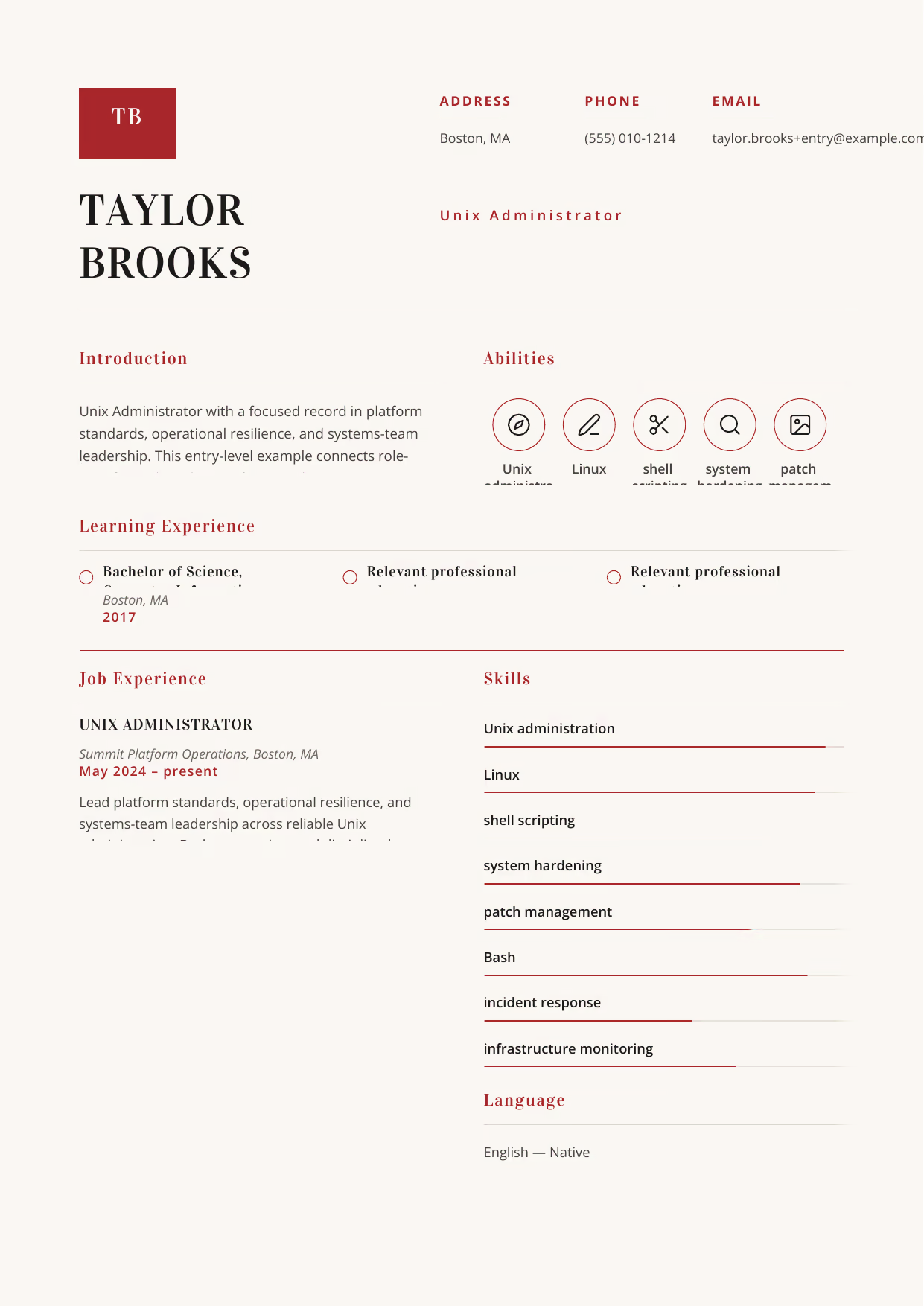
A builder-ready entry-level Unix Administrator example in the Achernar template, showing stage-appropriate evidence in a focused, editable resume format.
- Editable role positioning in the Achernar layout
- Role-specific evidence and delivery context
- Review the Achernar structure with a clean visual hierarchy
View this resume
Unix Administrator
A builder-ready entry-level Unix Administrator example in the Delphinus template, showing stage-appropriate evidence in a focused, editable resume format.
- Editable role positioning in the Delphinus layout
- Role-specific evidence and delivery context
- Review the Delphinus structure with a clean visual hierarchy
View this resume
Mid-Level Unix Administrator Resume (3-7 Years Experience)
Use these mid-level examples to compare the scope, evidence, and language expected for Unix Administrator roles at this stage.
Senior Unix Administrator
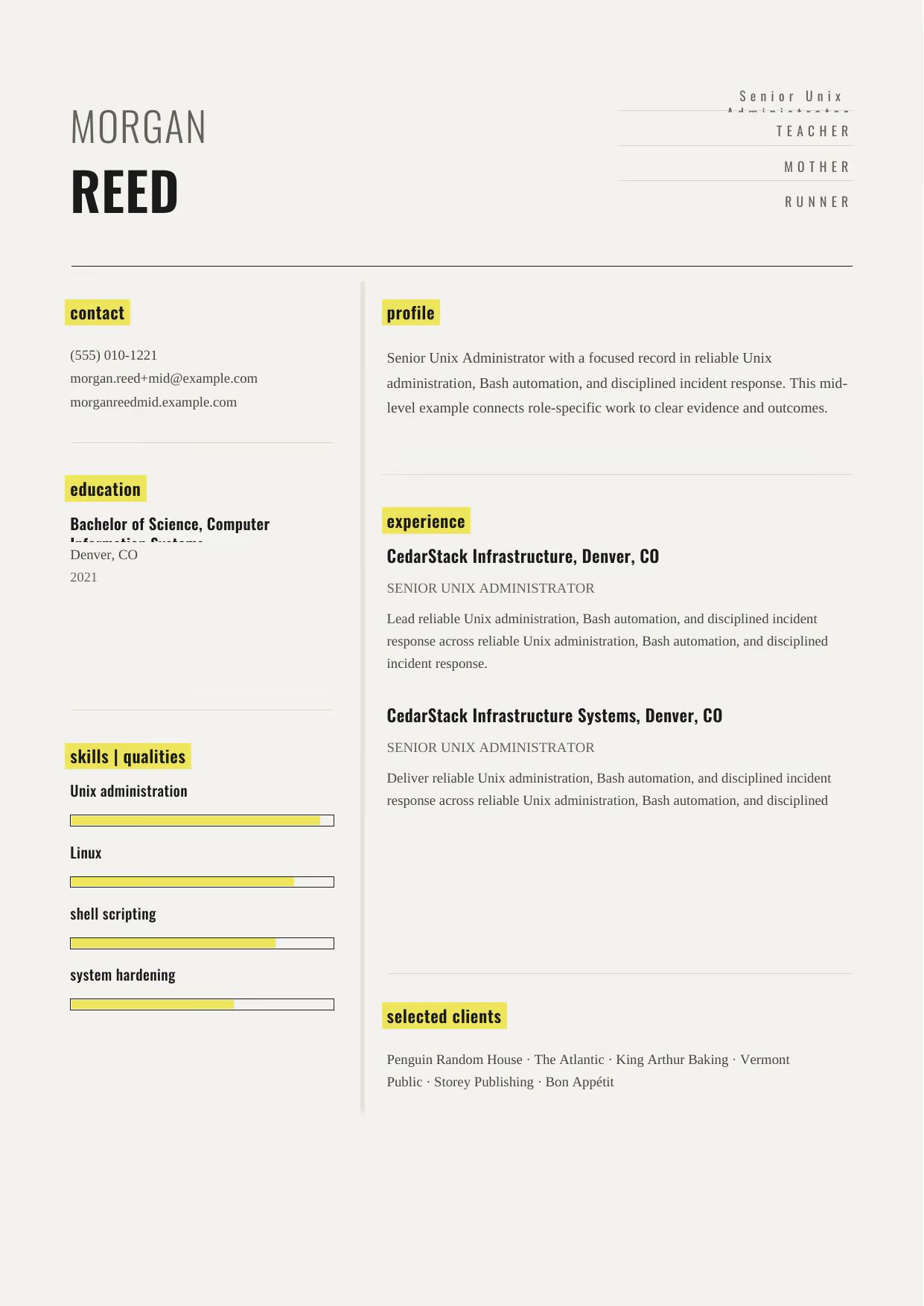
A builder-ready mid-level Unix Administrator example in the Dorado template, showing stage-appropriate evidence in a focused, editable resume format.
- Editable role positioning in the Dorado layout
- Role-specific evidence and delivery context
- Review the Dorado structure with a clean visual hierarchy
View this resume
Senior Unix Administrator
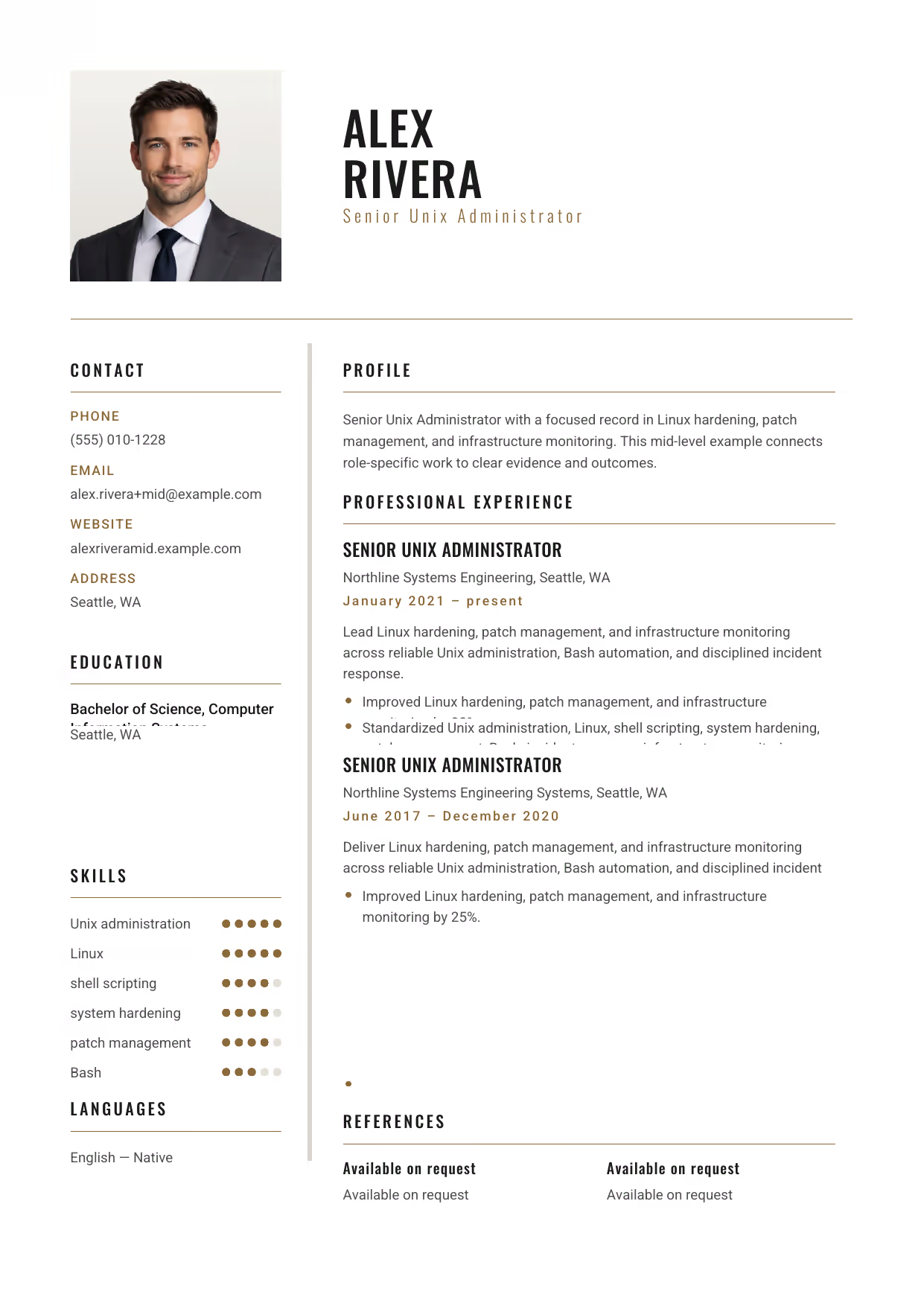
A builder-ready mid-level Unix Administrator example in the Acamar template, showing stage-appropriate evidence in a focused, editable resume format.
- Editable role positioning in the Acamar layout
- Role-specific evidence and delivery context
- Review the Acamar structure with a clean visual hierarchy
View this resume
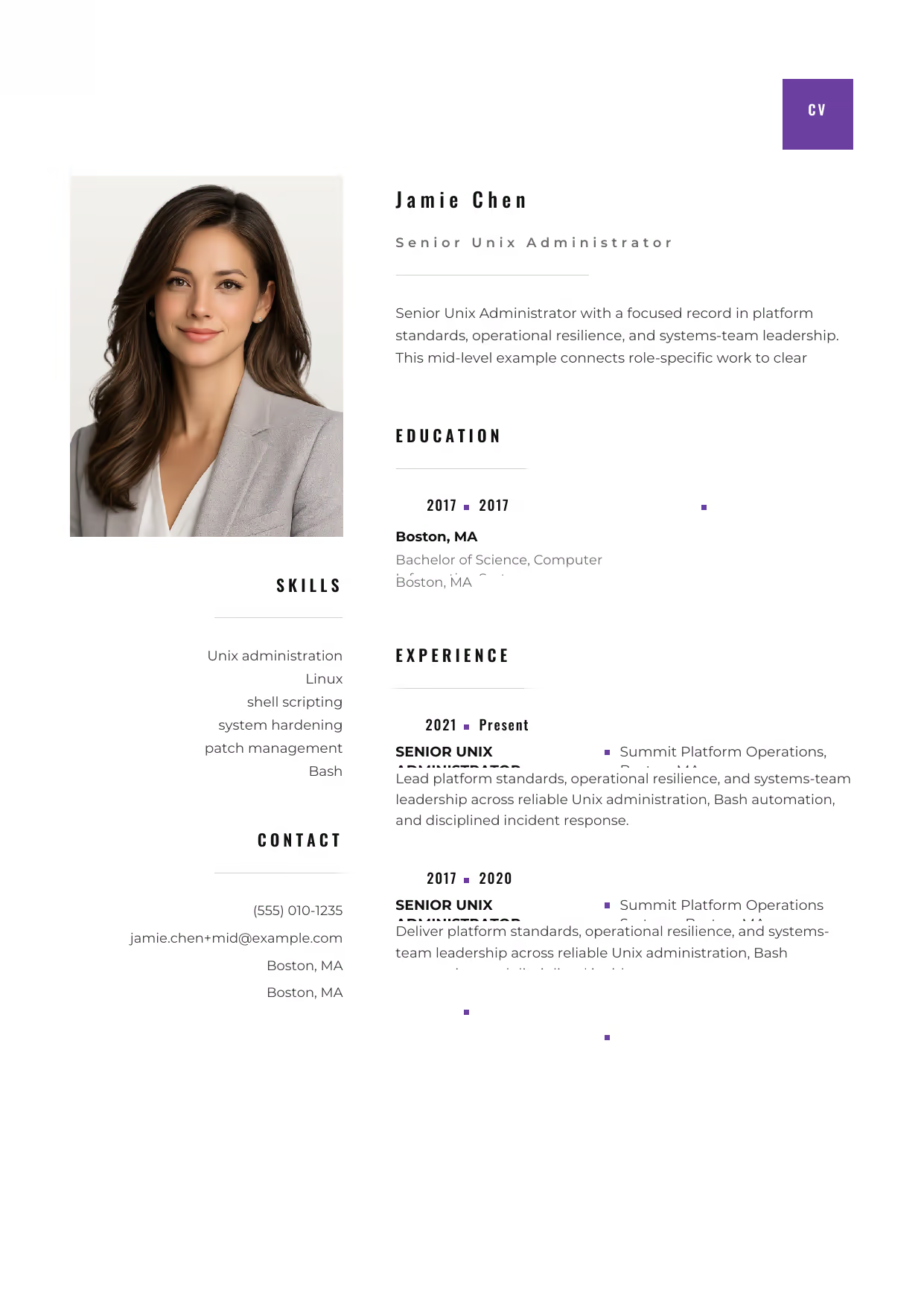
Senior Unix Administrator
A builder-ready mid-level Unix Administrator example in the Pyxis template, showing stage-appropriate evidence in a focused, editable resume format.
- Editable role positioning in the Pyxis layout
- Role-specific evidence and delivery context
- Review the Pyxis structure with a clean visual hierarchy
View this resume
Senior Unix Administrator Resume (8+ Years / Management)
Use these advanced examples to compare the scope, evidence, and language expected for Unix Administrator roles at this stage.
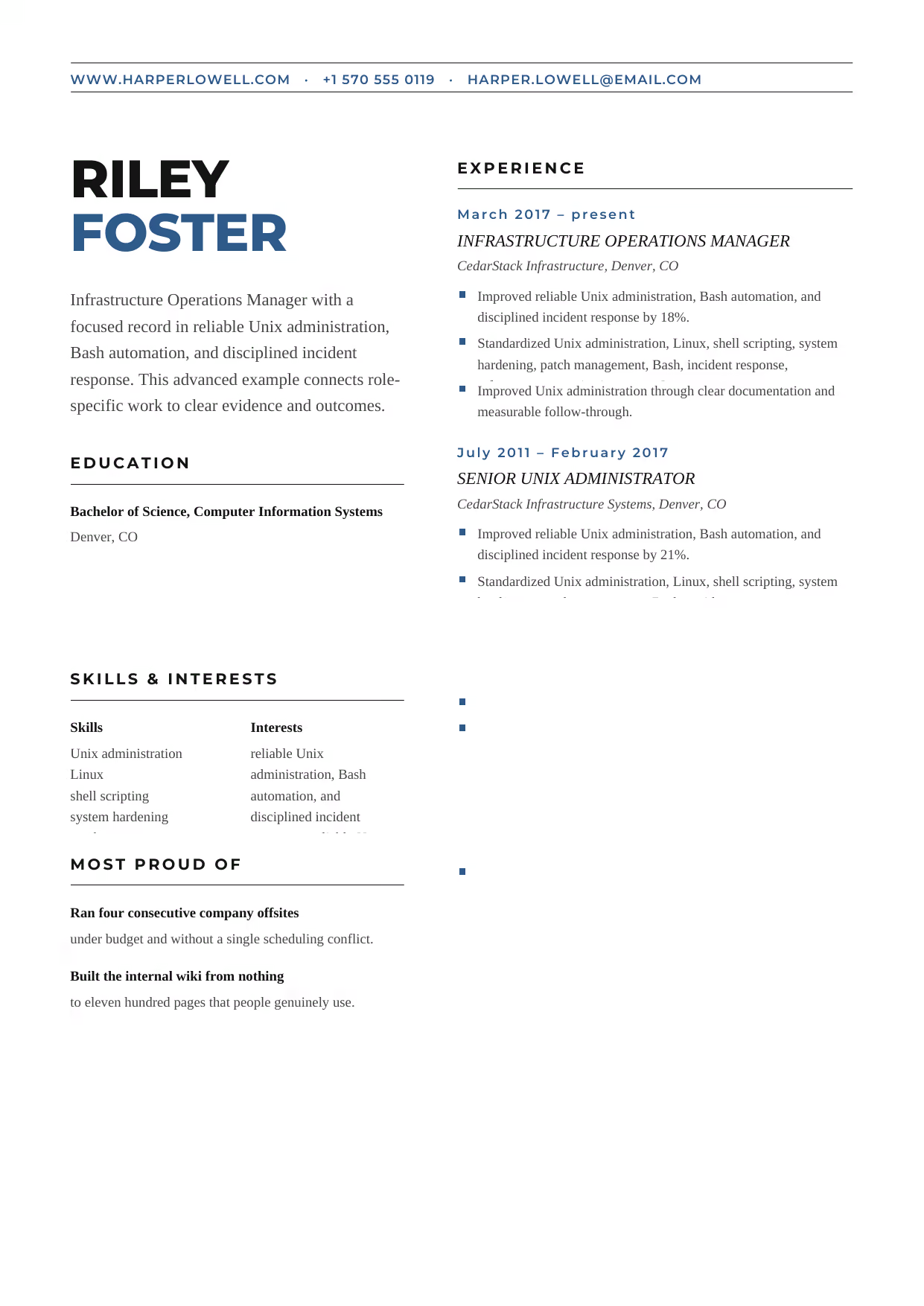
Infrastructure Operations Manager
A builder-ready advanced Unix Administrator example in the Bootes template, showing stage-appropriate evidence in a focused, editable resume format.
- Editable role positioning in the Bootes layout
- Role-specific evidence and delivery context
- Review the Bootes structure with a clean visual hierarchy
View this resume
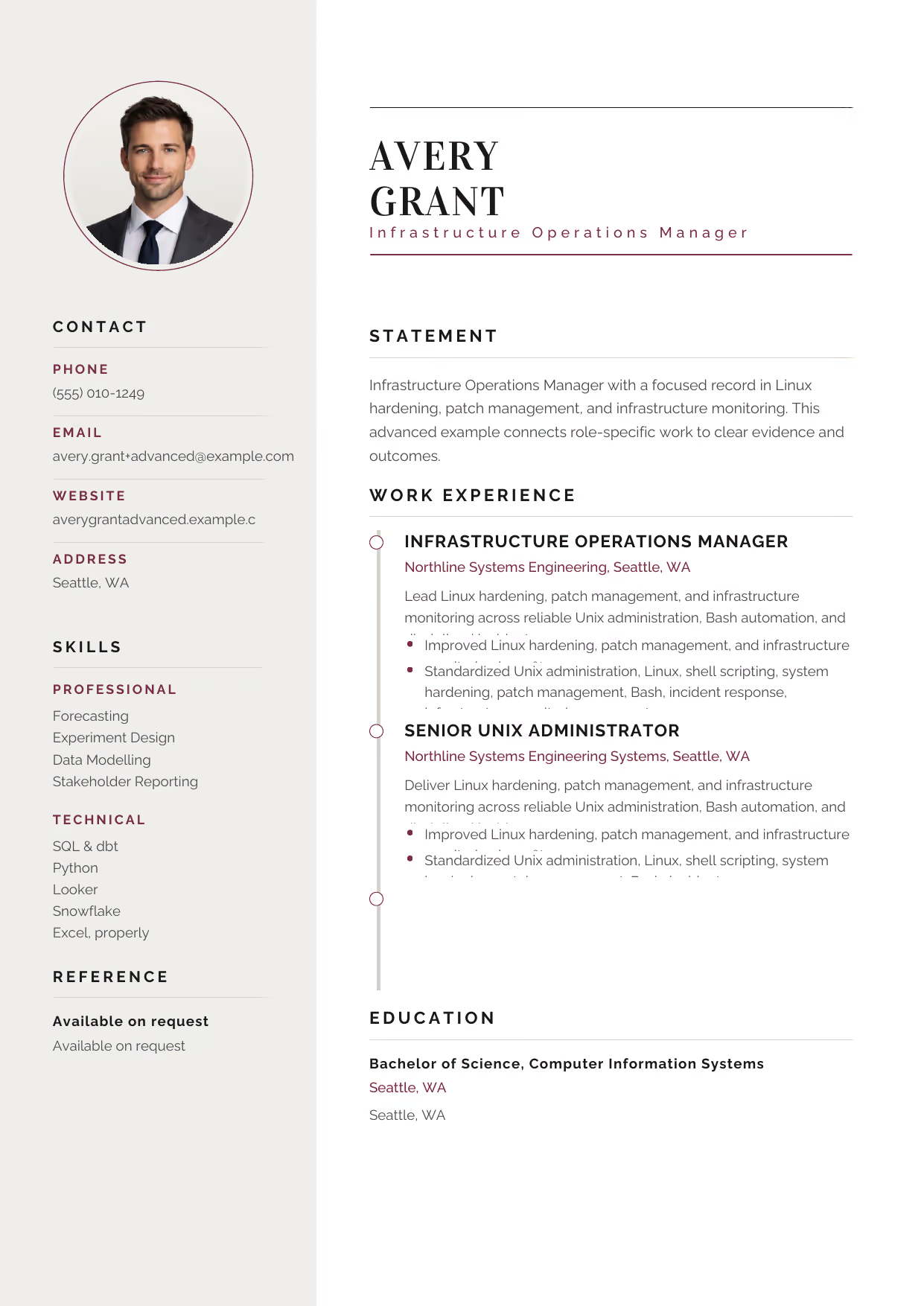
Infrastructure Operations Manager
A builder-ready advanced Unix Administrator example in the Cetus template, showing stage-appropriate evidence in a focused, editable resume format.
- Editable role positioning in the Cetus layout
- Role-specific evidence and delivery context
- Review the Cetus structure with a clean visual hierarchy
View this resume
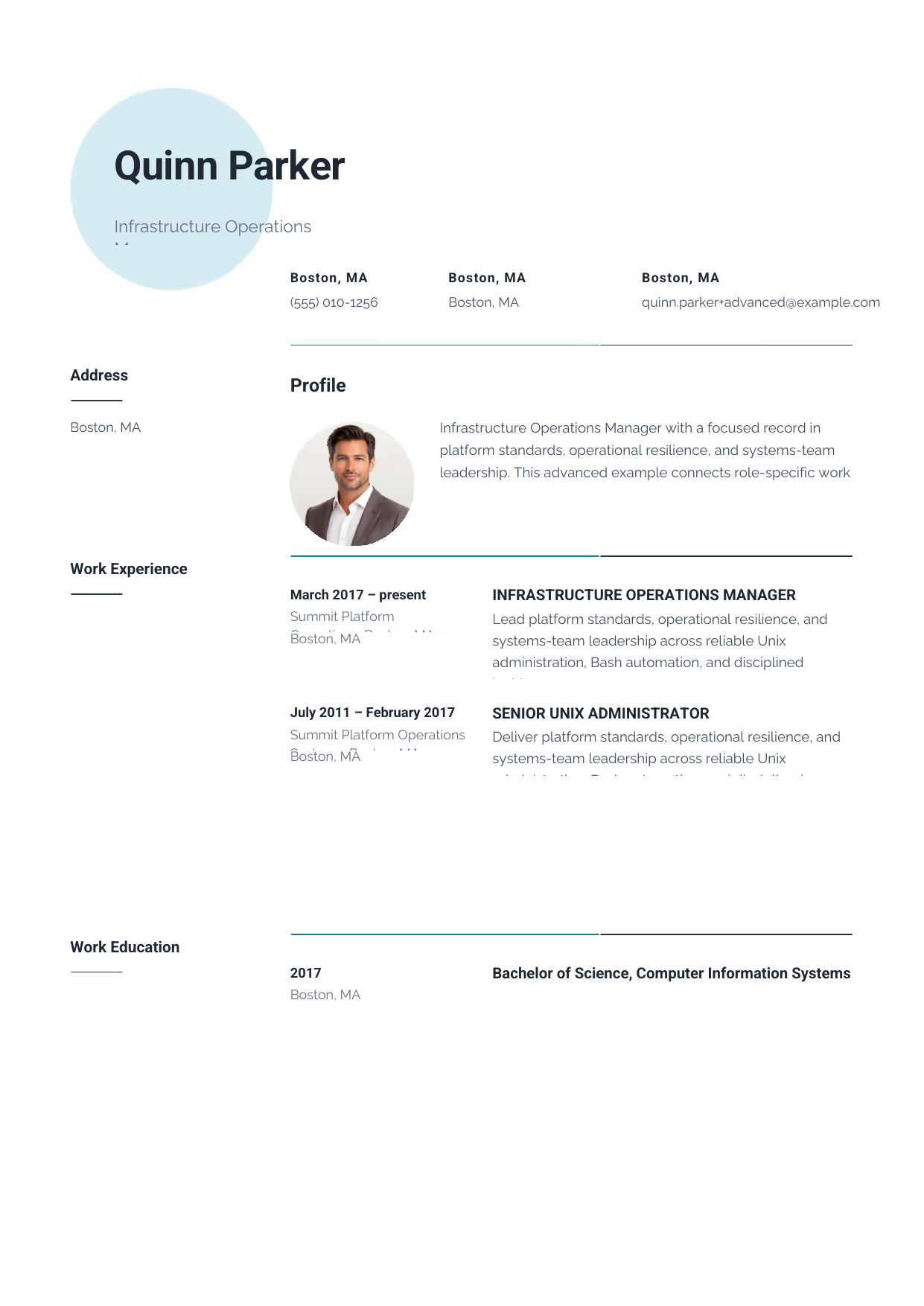
Infrastructure Operations Manager
A builder-ready advanced Unix Administrator example in the Pavo template, showing stage-appropriate evidence in a focused, editable resume format.
- Editable role positioning in the Pavo layout
- Role-specific evidence and delivery context
- Review the Pavo structure with a clean visual hierarchy
View this resume
How to Write a Unix Administrator Resume
The Resume Summary
The resume summary is your first impression. It should concisely highlight your key skills and experience relevant to the Unix Administrator role. Use this formula: [Years of Experience] + [Job Title] + [Key Skills] + [Quantifiable Achievement]
Entry-Level Example: Enthusiastic Computer Science graduate seeking an entry-level Unix Administrator position. Eager to apply academic knowledge and develop practical skills in system administration, scripting, and troubleshooting.
Mid-Level Example: Experienced Unix Administrator with 5+ years of experience managing and maintaining complex Linux-based systems. Proven ability to improve system performance, enhance security, and reduce downtime.
Senior-Level Example: Highly accomplished Senior Unix Administrator with 10+ years of experience leading and managing complex Linux-based environments. Proven ability to develop and implement strategic initiatives to improve system performance, enhance security, and reduce costs.
Work Experience & Action Verbs
Focus on achievements, not just duties. Instead of listing what you were responsible for, showcase the impact you made in previous roles.
- Before: Responsible for managing Linux servers.
After: Managed a fleet of 100+ Linux servers, ensuring 99.9% uptime. - Before: Assisted with system administration tasks.
After: Automated system administration tasks using Ansible, resulting in a 30% reduction in manual effort. - Before: Worked on improving system security.
After: Implemented security enhancements to protect against cyber threats, reducing security incidents by 40%. - Before: Monitored system performance.
After: Reduced server downtime by 15% through proactive monitoring and maintenance. - Before: Handled network configuration.
After: Improved network performance by 20% by optimizing network configurations.
Top Skills for Unix Administrators
Here are some top skills to include on your Unix Administrator resume:
- Hard Skills:
- Operating Systems (Linux, Windows Server)
- Scripting (Bash, Python, Perl)
- Cloud Computing (AWS, Azure, Google Cloud Platform)
- Virtualization (VMware, Docker, Kubernetes)
- Configuration Management (Ansible, Puppet, Chef)
- Networking (TCP/IP, DNS, DHCP, VPN, Firewalls)
- Soft Skills:
- Problem-solving
- Communication
- Teamwork
- Attention to detail
- Time management
- Tools/Software:
- Nagios
- Zabbix
- Ansible
- Puppet
- Chef
- Docker
Education & Certifications
For entry-level candidates, highlight relevant coursework and GPA. For mid-level and senior candidates, focus on certifications and advanced degrees.
Recommended certifications for Unix Administrators:
- Red Hat Certified Engineer (RHCE)
- AWS Certified SysOps Administrator
- Linux Foundation Certified System Administrator (LFCS)
10 Common Unix Administrator Resume Mistakes
- Ignoring the Job Description: A generic resume gets generic results. Failing to tailor your resume to the specific job description means your key skills might be missed by the ATS. Quick Fix: Carefully analyze the job posting and mirror the language and keywords used.
- Listing Duties Instead of Impact: Recruiters know what a Unix Administrator does; they want to know how well you did it. Replace passive phrases like ‘Responsible for server maintenance’ with quantified wins like ‘Reduced server downtime by 15% through proactive maintenance’. Quick Fix: Quantify your achievements whenever possible.
- Poor Formatting: A cluttered or poorly formatted resume is difficult to read and can be immediately rejected. ATS systems also struggle with complex formatting. Quick Fix: Use a clean, simple format with clear headings and bullet points. Ensure it is ATS-friendly.
- Grammar and Spelling Errors: Typos make you look careless and unprofessional. Even minor errors can cast doubt on your attention to detail. Quick Fix: Proofread your resume carefully, or use a grammar and spell checker.
- Lack of Relevant Skills: Failing to highlight the skills most relevant to the Unix Administrator role can make you seem unqualified. Quick Fix: Prioritize the skills listed in the job description and showcase your proficiency in those areas.
- Inconsistent Tense: Switching between past and present tense within the same bullet point is confusing and unprofessional. Quick Fix: Use past tense for previous roles and present tense for your current role.
- Omitting Contact Information: It seems obvious, but missing or incorrect contact information means recruiters can’t reach you. Quick Fix: Double-check your phone number, email address, and LinkedIn profile URL.
- Including Irrelevant Information: Personal details like age, marital status, or hobbies are unnecessary and can distract from your qualifications. Quick Fix: Focus on your skills, experience, and education.
- Not Optimizing for ATS: Many companies use ATS to screen resumes. If your resume isn’t optimized, it may be overlooked. Quick Fix: Use keywords from the job description, avoid graphics and tables, and save your resume as a .docx file.
- Ignoring White Space: A resume that is too dense and lacks white space is difficult to read. Quick Fix: Use margins, line spacing, and bullet points to create a visually appealing and easy-to-read document.
Frequently Asked Questions (Unix Administrator)
- What should a Unix Administrator resume emphasize first? Lead with the scope of reliable Unix administration, Bash automation, and disciplined incident response, then connect your contribution to a clear outcome, tool, or decision.
- Which skills deserve priority on a Unix Administrator resume? Prioritize Unix administration, Linux, and shell scripting when they match the role and can be supported by evidence.
- How can a Unix Administrator show project scope and impact? Name the environment, scale, constraints, and result; Linux hardening, patch management, and infrastructure monitoring becomes more credible when the context is concrete.
- How should a Unix Administrator describe tools and technical decisions? Describe why you selected a method, how you implemented it, and what changed afterward in the Unix Administrator role.
- Which achievements matter most for a Unix Administrator application? Use outcome-led bullets that show platform standards, operational resilience, and systems-team leadership through delivery quality, measurable scope, or stakeholder value.
- How long should a Unix Administrator resume be? Use the shortest length that proves fit; a focused page can work early-career, while broader Unix Administrator scope may need more room.
- How can a Unix Administrator explain progression between career stages? Group examples by increasing ownership, moving from reliable Unix administration, Bash automation, and disciplined incident response toward platform standards, operational resilience, and systems-team leadership as responsibility grows.
- Which keywords should a Unix Administrator include for screening systems? Mirror truthful language from the posting, especially system hardening, without stuffing unrelated terms.
- How should a Unix Administrator present reliability, quality, or safety work? Show how you protected outcomes through patch management and explain the evidence a hiring team can verify.
- What format makes a Unix Administrator resume easy for hiring teams to scan? Use clear headings, readable bullets, and consistent dates so a hiring manager can evaluate Unix Administrator fit quickly.
Editorial review: RockStarCV Editorial Team reviewed this Unix Administrator guide for source fidelity, role-specific usefulness, accessibility, builder examples, and question completeness.